Rear Brake Pad/Disc - Inspection and Replacement (cont'd) / Rear Caliper - Disassembly
13-30prose procedureInspection and Replacement (cont'd)
- 14Install the new brake disc.
- 15Clean the caliper bracket and retainers, then install the caliper bracket with two bolts and retainers. Install the new brake pads and pad shims onto the caliper bracket.
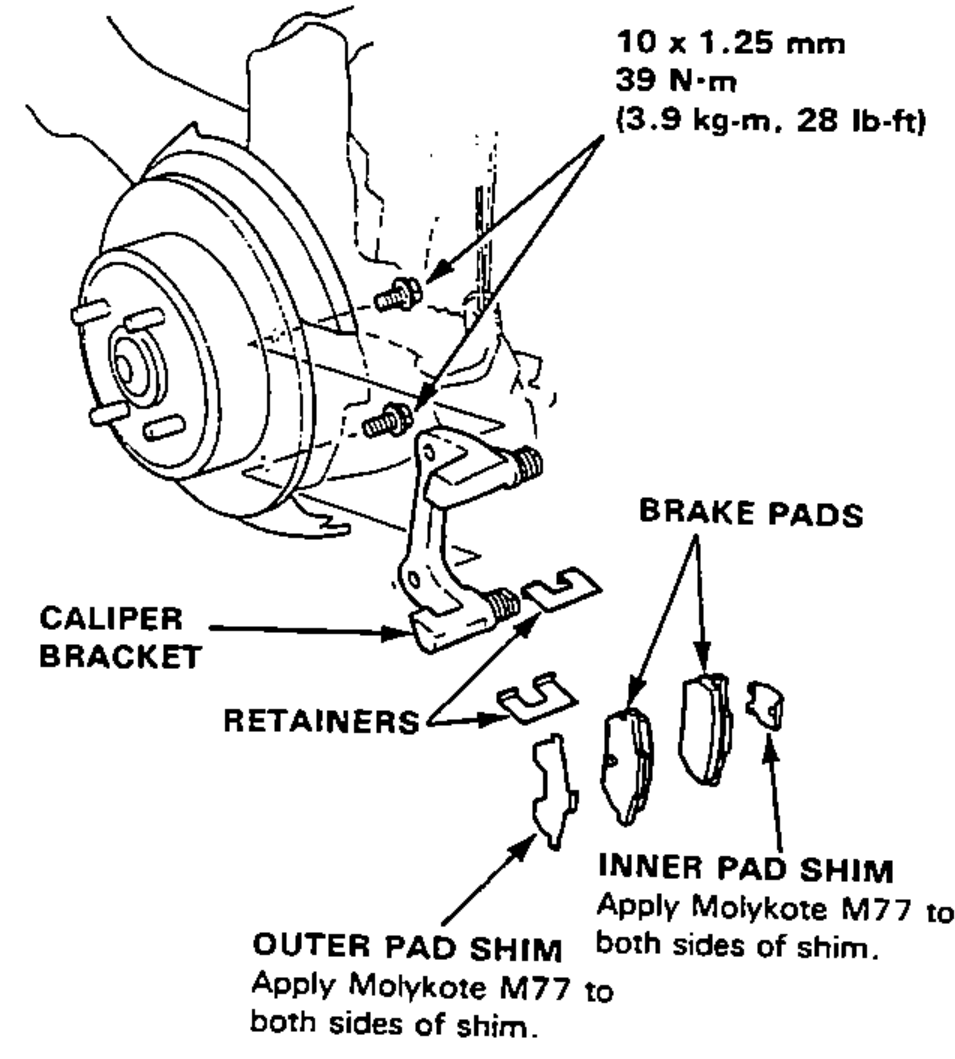
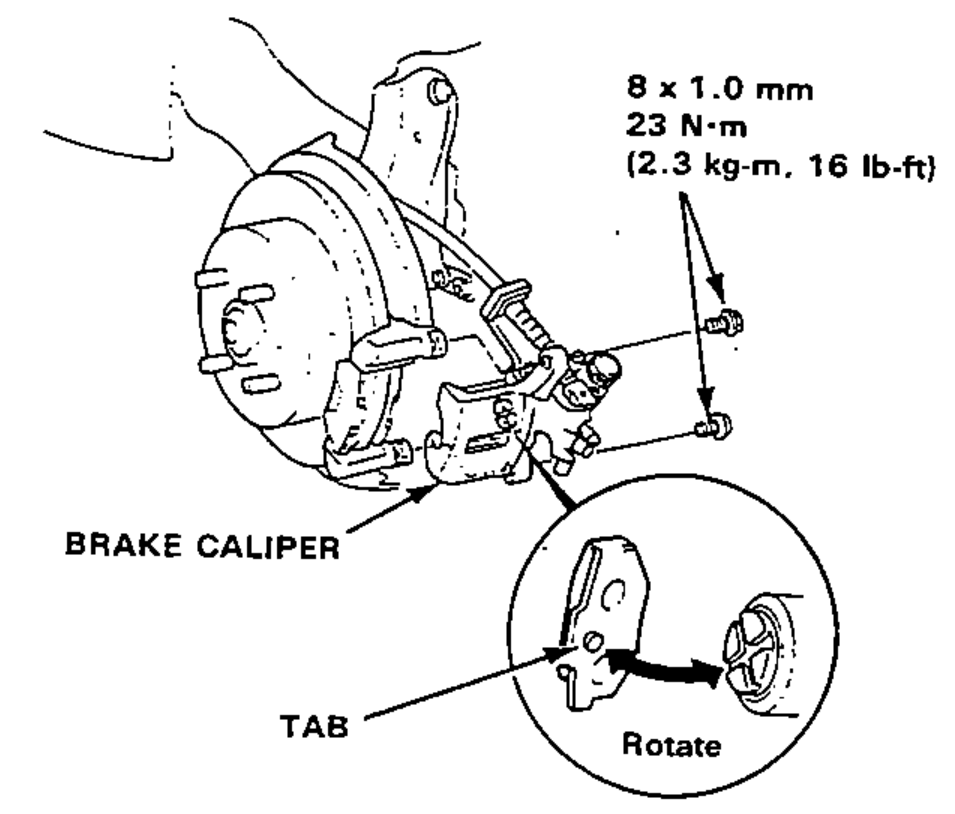
- 16Rotate the caliper piston clockwise into place in the cylinder, then align the cutout in the piston with the tab on the inner pad by turning the piston back.Lubricate the boot with silicone to avoid twisting the piston boot. If the piston boot is twisted, back it out so it sits properly.
- 17Install the brake caliper.
Rear Caliper
Disassembly
CAUTION
Make sure all parts are clean before reassembly. Use only new replacement parts. Use only new clean brake fluid. Do not allow dirt or other foreign matter to contaminate the brake fluid. Do not mix different brands of brake fluid. Avoid spilling brake fluid on painted, plastic or rubber surfaces as it can damage the finish. Wash spilled brake fluid off immediately with clean water.
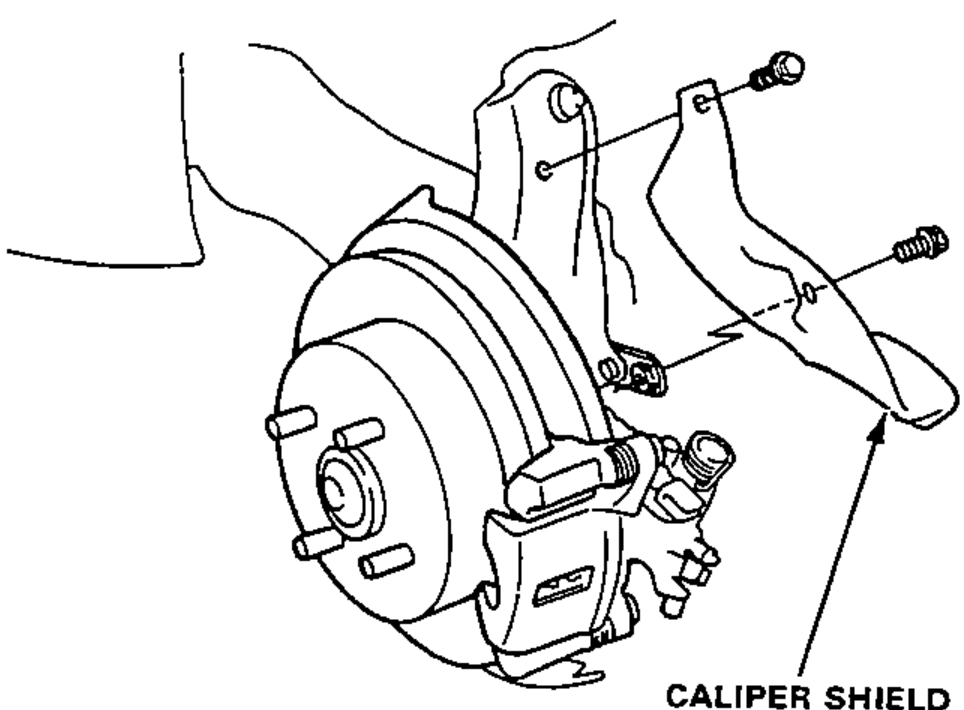
- 1Remove the caliper shield.
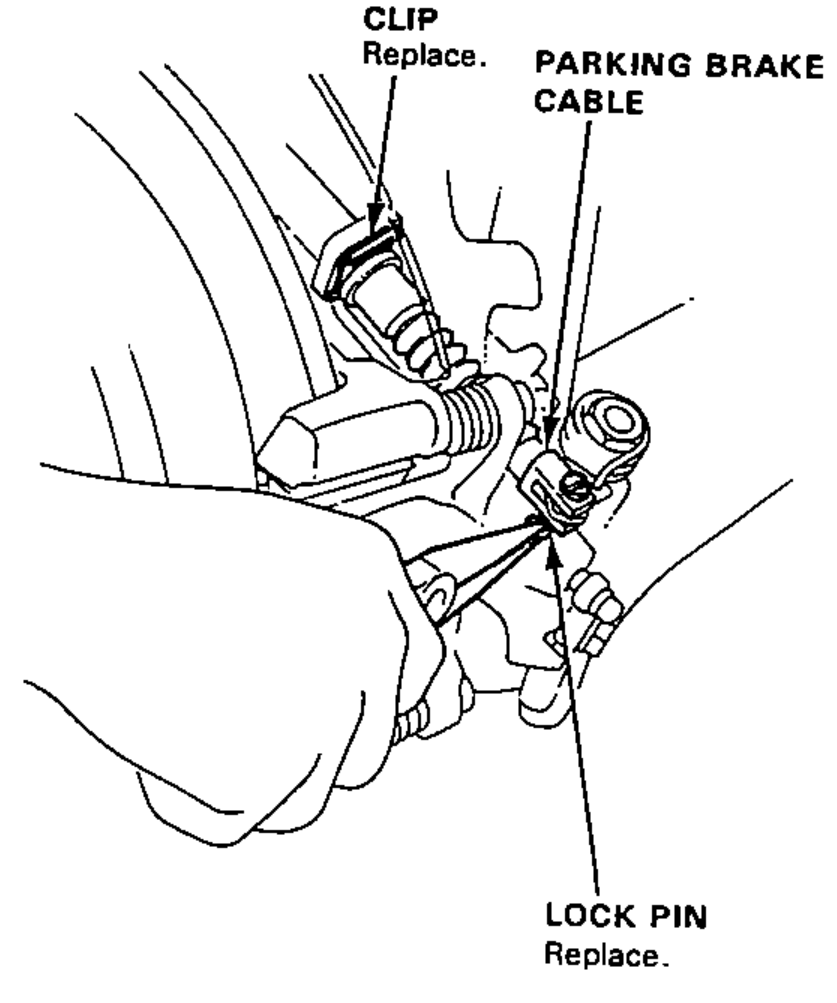
- 2Disconnect the parking brake cable from the lever on the caliper by removing the lock pin.Replace the clip and the lock pin.
| Specification | Value |
|---|---|
| Caliper bracket bolt | 39N·m |
| Brake caliper bolt | 23N·m |
Caliper bracket bolt
39N·m
Brake caliper bolt
23N·m