
Passenger Switch Test / Switch Replacement
16-145prose procedure- 1Remove the 2 screws. Disconnect the 5-P connector and remove the switch from the door trim panel.
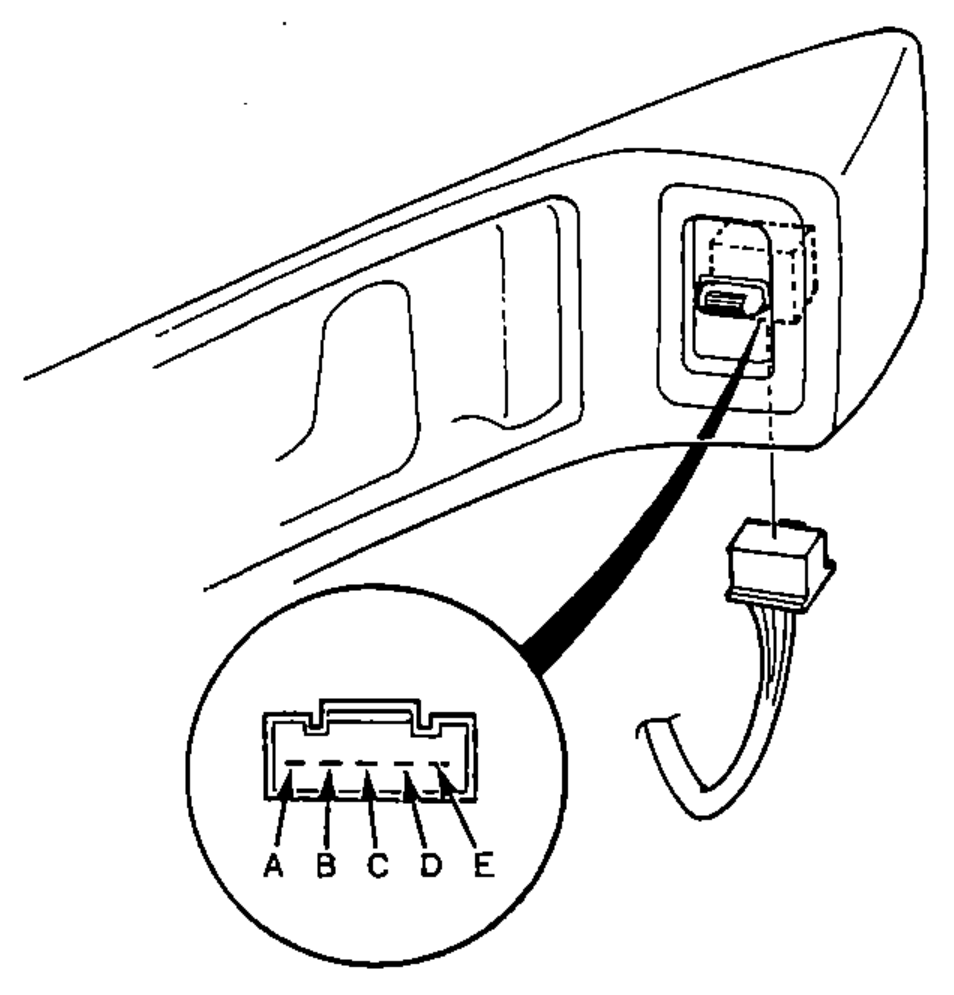
- 2Check for continuity between the terminals in each switch position according to the table.
UP
A
B
C
DO
EO
OFF
AO
BO
CO
D
EO
DOWN
A
BO
CO
DO
E
Switch Replacement
Driver's Switch:
- 1Remove the 2 screws. Disconnect the 10-P connector and remove the switch from the door trim panel.
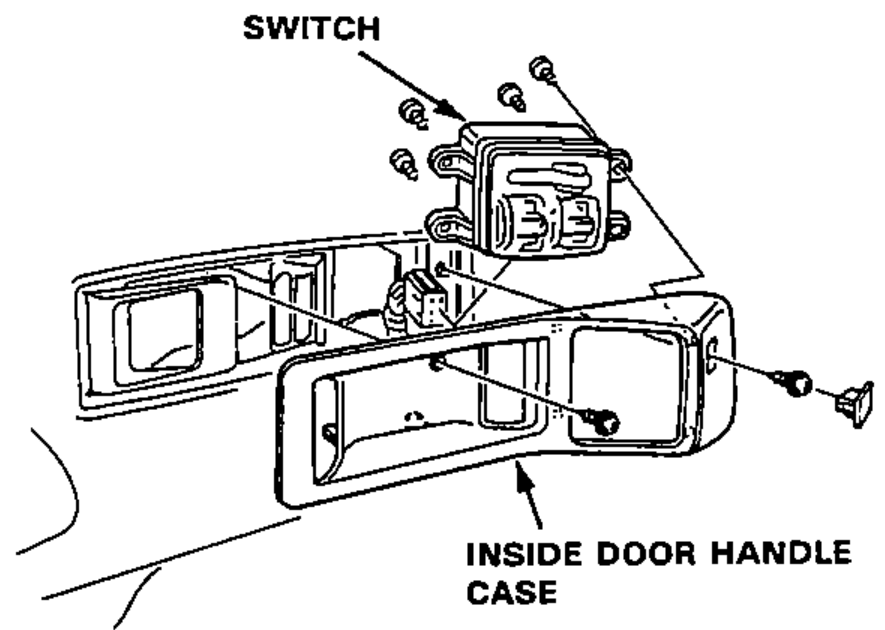
- 2Remove the 4 screws and switch from the inside door handle case.
Passenger Switch:
- 1Remove the 2 screws. Disconnect the 5-P connector and remove the switch from the door trim panel.
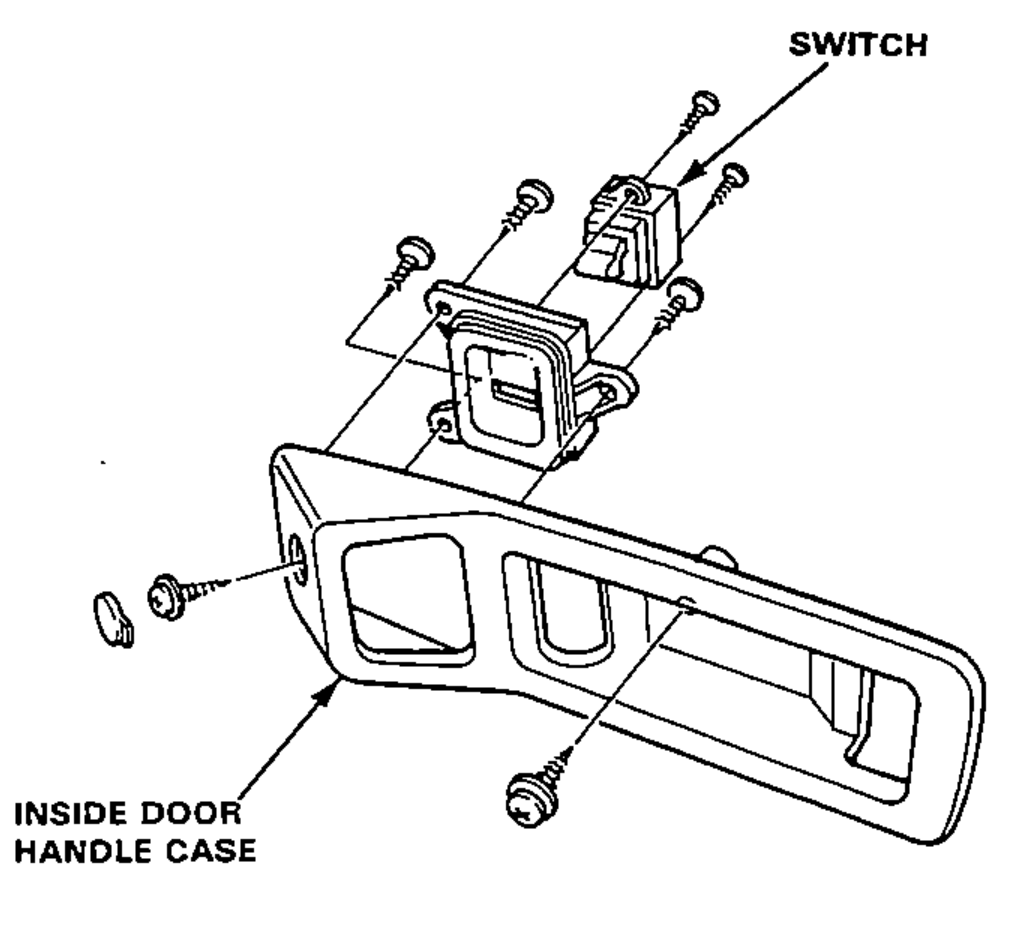
- 2Remove the 2 screws and switch from the inside door handle case.